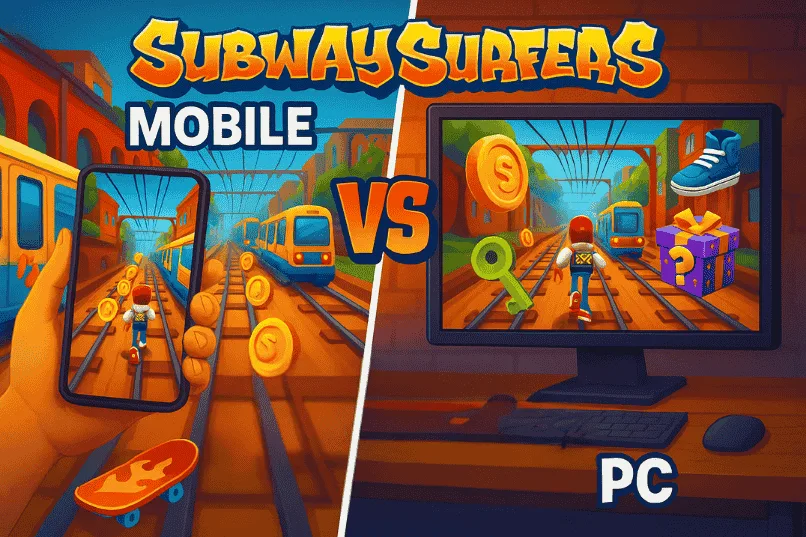
Subway Surfers Mobile vs PC: Gameplay, Graphics, and Performance Compared
Subway Surfers has been a fan-favourite endless runner since 2012 developed by Sybo and Kiloo. Known for its thrilling, fast-paced runs, colorful 3D graphics, and addictive gameplay, it has kept players hooked for over a decade. While the game was originally launched for mobile devices, it has now expanded to other platforms.
Whether you’re a casual player dodging trains on your phone or a high-score chaser who prefers the big-screen experience, Subway Surfers offers two distinct ways to play: Mobile and PC. But the real question is—which one should you choose?
In this guide, we’ll explore everything from system requirements and controls to graphics, performance, and overall gameplay. By the end, you’ll know exactly which platform fits your style best.
Subway Surfers on Mobile vs PC: Quick Overview
Subway Surfers is fun to play on both Mobile and PC, but each platform gives a slightly different experience. On mobile, you get quick taps, smooth swipes, and instant access anywhere. Playing on PC, however, brings a whole new vibe, with sharper graphics, bigger displays, and more precise keyboard controls.
In short, Mobile is all about portability and convenience, while PC focuses on performance and visuals. Both versions offer the same core gameplay, but the choice depends on how and where you enjoy running the most.
Subway Surfers System Requirements
Before you jump into the chase, it’s good to know if your device can run the game smoothly. Subway Surfers isn’t a heavy game, and most modern devices handle it easily but there are still a few minimum requirements to keep in mind.
Mobile Requirements (Android & iOS)
Subway Surfers is built for mobile first, and it runs smoothly on most modern smartphones. If your phone is older, make sure your OS is updated to avoid crashes or lag. Here’s what you’ll need:
Note: Devices without Google Mobile Services (like newer Huawei models) may face issues.
PC Requirements
You can play Subway Surfers on PC by using an Android emulator like BlueStacks. If you don’t know how to download and install in Pc then visit Subway Surfers APK for pc article.
For a quick comparison, check out the table below.
Platform | OS Version | RAM | Storage Needed | Notes |
Android | Compatible with most modern devices; older phones may lag | |||
iOS | Smooth performance on iPhones and iPads | |||
PC | Requires BlueStacks or LD Player |
Gameplay & Controls Comparison
The core gameplay of Subway Surfers remains the same on both mobile and PC. However, the way you control your character changes a lot between the two platforms. Let’s look at how each platform feels and which one might suit your playstyle.
How to Play Subway Surfers on Mobile
Subway Surfers on mobile is designed to be quick and easy to play. It’s all about simple swipes and taps: swipe up to jump, swipe down to roll, and swipe left or right to dodge trains. The controls are highly intuitive and optimized for touchscreens, making it easy to play anywhere.
How to Play Subway Surfers on PC
On PC, the game works differently. Playing on PC usually means using an emulator like BlueStacks. Instead of swiping, you’ll use keyboard keys like arrow keys are used to control your character.
Mobile vs PC Controls – Which Feels Better?
Both platforms deliver the same endless-running thrill, but the experience feels very different. In fact, it really comes down to your play style.
- Mobile → casual, portable, quick swipes anywhere
- PC → precise, stable, perfect for longer gaming sessions
If you love fast reactions and on-the-go fun, mobile is the clear winner. But if you prefer accuracy, sharper visuals, and a bigger screen, PC feels more reliable. In the end, the best choice depends on how and where you enjoy playing.
Graphics & Performance
Subway Surfers is known for its vibrant visuals and smooth gameplay. Whether you’re playing on Mobile or PC, graphics and performance play a big role in shaping the overall experience. While the mobile version focuses on portability and optimised visuals for smaller screens, the PC version offers sharper details and bigger displays. Let’s break down how each platform compares in terms of visual quality, smoothness, and screen size.
Visual Quality & 3D Effects
Subway Surfers has always stood out for its colorful 3D graphics and lively animations. On mobile, the graphics are optimized for smaller screens, delivering sharp and vibrant colors while keeping battery usage low. Characters, hoverboards, and environments look smooth and cartoon-like.
On PC, you get the same playful design but with enhanced sharpness on bigger displays. The details in environments, characters, and hoverboards appear more vibrant and noticeable, and the larger screen size makes the overall world feel more alive.
In short: Mobile keeps things bright and portable, while PC makes it sharper and more detailed.
Smoothness and Lag-Free Experience
Subway Surfers is lightweight and runs smoothly on most modern phones even budget devices can handle it with little to no lag. Frame rates stay stable and taps respond quickly which makes it perfect for short casual runs.
On PC, performance depends on your emulator and system specs. But with a well-configured setup, PC clearly takes the lead. It can deliver a consistently lag-free experience with sharper frame rates and instant keyboard responses. This makes the gameplay feel more stable and reliable, especially during longer sessions.
In short: PC clearly delivers the smoother and more reliable experience. if you are facing issues in old devices then Subway Surfers Old Versions is the best choice.
Screen Size & Immersion Factor
Screen size has a big impact on how immersive Subway Surfers feels. On mobile, the smaller display makes the game compact and easy to carry anywhere. It’s great for quick runs, but the experience is limited to your phone screen.
Playing on a bigger screen changes the vibe completely. On PC, the larger display makes tracks, trains, and characters look more detailed and alive. If you enjoy longer gaming sessions, the PC version delivers a much richer experience compared to mobile.
In short: Mobile is best for portability, but PC wins for immersion and enjoying the game’s visuals to the fullest.
Pros and Cons of Each Platform
Both mobile and PC versions of Subway Surfers offer a fun experience, but each comes with its own strengths and drawbacks. By knowing the pros and cons, you can decide which one fits your playstyle better. Here’s a quick look.
Mobile – Pros & Cons
Playing Subway Surfers on mobile is all about convenience and quick access, but it does have some trade-offs.
Pros
Cons
PC – Pros & Cons
On PC, the game feels sharper and more stable, though it may not be as handy as mobile.
Pros
Cons
Mobile vs PC: Which is Best for You?
Both mobile and PC versions of Subway Surfers offer the same exciting endless-running gameplay, but the experience feels different depending on the platform.
Mobile is perfect for quick and casual runs. It has smooth swipe controls and easy portability. It’s designed for short breaks, commutes, or just killing time. it is ideal for players who want to enjoy the game anywhere, anytime.
On the other hand, the PC version provides sharper visuals, more precise controls, and a larger screen.
It is best suited for players who are serious about chasing high scores with longer gaming. Playing on a bigger screen with keyboard controls gives you more precision and focus, especially during fast-paced runs.
So, which one should you play?
- Choose mobile if you want convenience, portability, and easy access.
- Go with PC if you prefer sharper visuals, tighter controls, and longer gameplay sessions.
Frequently Asked Questions
Final Verdict
Subway Surfers is one of those rare games that feels equally fun on both Mobile and PC, but each version shines in its own way. Mobile is the best choice if you want fast access, smooth swipes, and the freedom to play anywhere. PC, on the other hand, is perfect for players who enjoy sharper visuals, bigger screens, and more precise controls for longer sessions.
In the end, there’s no single “best” platform, it all depends on your playstyle. If you enjoy quick runs during breaks, Mobile is the way to go. But if you’re chasing high scores and want a more immersive experience, PC will give you the edge.